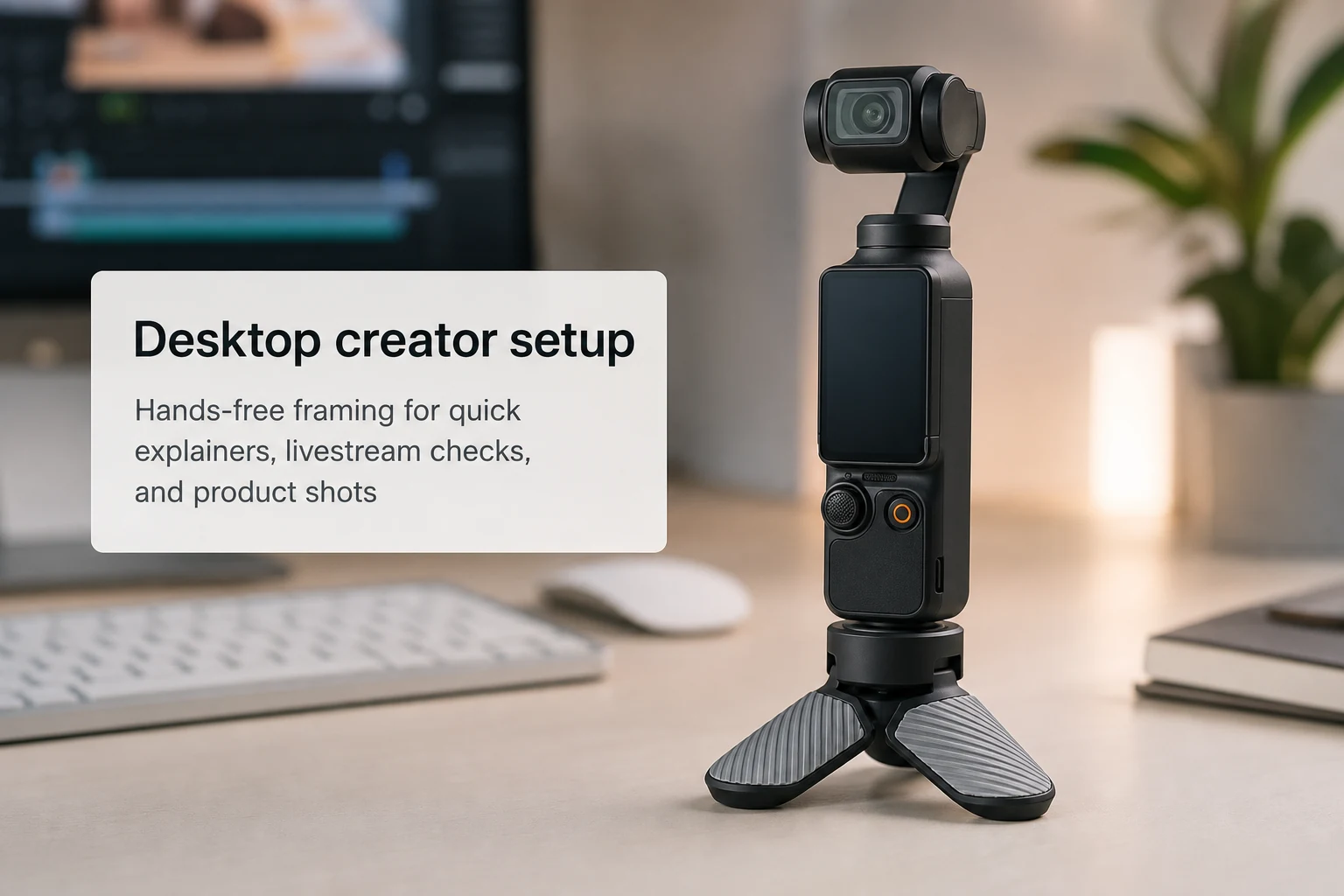
Fast answer: the best DJI Osmo Pocket 4 desk setup is the smallest setup you will actually keep assembled or can rebuild in seconds. Desk rigs fail when they look clever on paper but slow you down every day.
A DJI Osmo Pocket 4 desk setup should make filming easier, not more theatrical. The point is not to turn a compact gimbal camera into a cinema cage. The point is to remove friction for the clips people actually record at a desk: short explainers, product demos, tabletop reviews, unboxings, livestream previews, interview checks, face-cam inserts, and quick social videos. If the setup takes too long, you will stop using it. If it adds too much clutter, it will live in a drawer instead of on your desk.
Support first, everything else second
The first rule of a DJI Osmo Pocket 4 desk setup is simple: solve support before solving style. Many buyers start by looking at lights, magnetic arms, mounting plates, or decorative desktop gear. That is backwards. The real bottleneck is whether the camera can stand quickly and stay where you place it. That is why a compact base often matters more than a more dramatic add-on. If Pocket 4 cannot stand at the right height and angle on your desk, your setup is not ready.
For most creators, the most useful support choice inside a DJI Osmo Pocket 4 desk setup is still a low-profile base like the mini tripod. It keeps the camera desk-ready without taking over the workspace. Bigger tripods can work, but they often push the camera too high, block keyboard space, or make fast resets annoying. Small desk video benefits from fast resets more than from dramatic elevation.
What a good desk setup needs
| Need | Why it matters | Best first move |
|---|---|---|
| Stable footing | Without it, framing changes every time you touch the desk. | Use a compact support base that stays on smooth surfaces. |
| Repeatable placement | Creators lose time when they rebuild the same angle daily. | Mark one or two desk positions that already work. |
| Clean foreground | Messy desktop support can distract from product or face shots. | Choose low-profile support before bigger arms and stands. |
| Flexible angle changes | Desk clips often switch between face, hands, and products. | Add a magnetic or arm-style option only if support is already solved. |
The desk use cases that justify a real setup
A DJI Osmo Pocket 4 desk setup becomes worth the effort when you repeat the same desk content frequently. Product explainers are the clearest example. You want the camera ready, stable, and already close to the right height. The same is true for note-taking videos, keyboard demonstrations, small-tool reviews, software narration with a face insert, livestream audio checks, and quick “talk to camera” updates between other tasks. In all these cases, a predictable desk rig saves more time than a more expensive but rarely used accessory.
This is also where a DJI Osmo Pocket 4 desk setup differs from a travel setup. On a desk, you can optimize repeatability. You can leave one small support nearby, learn the lighting, and keep a consistent shooting zone. On the road, flexibility matters more than repetition. That is why this page stays focused on desk use and sends travel buyers to the separate DJI Osmo Pocket 4 travel accessories guide.
When to add a magnetic mount to a desk setup
A DJI Osmo Pocket 4 desk setup can benefit from a magnetic mount, but only after the support question is settled. Magnetic placement helps when your desk environment includes metal frames, shelf supports, or fixed studio points that let the camera hang or sit in cleaner positions. That is an optimization step, not a starting step. If you are still struggling to place Pocket 4 on a desk at all, read the DJI Osmo Pocket 4 magnetic mount page as a later-stage option, not as the first thing to buy.
Bottom line
The most effective DJI Osmo Pocket 4 desk setup is compact, fast, and repeatable. Solve support first. Keep the camera low-profile. Add mounting complexity only if you actually repeat enough desk content to justify it. If you are building your first real desktop workflow, start with stable support and clear placement logic before buying accessories that only look sophisticated.